 OmniViz
 Features
Live energy flow
See the power go from your panels to the battery and your loads, as it happens.
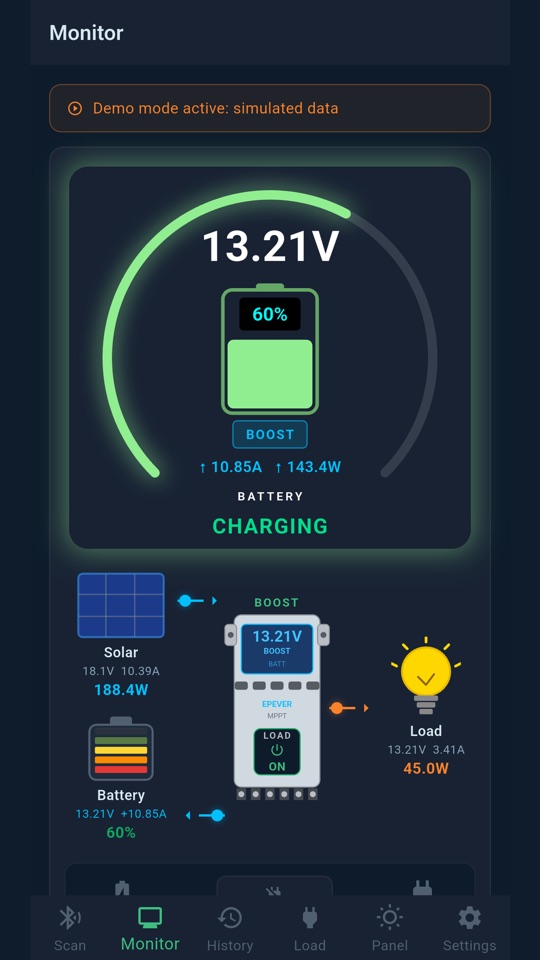
Your whole installation in one picture
Under the battery gauge, a live diagram shows your solar panels, your charge controller, your battery and your load output. Animated arrows show where the energy is flowing right now, with the voltage, current and power at each point.
The details, when you want them
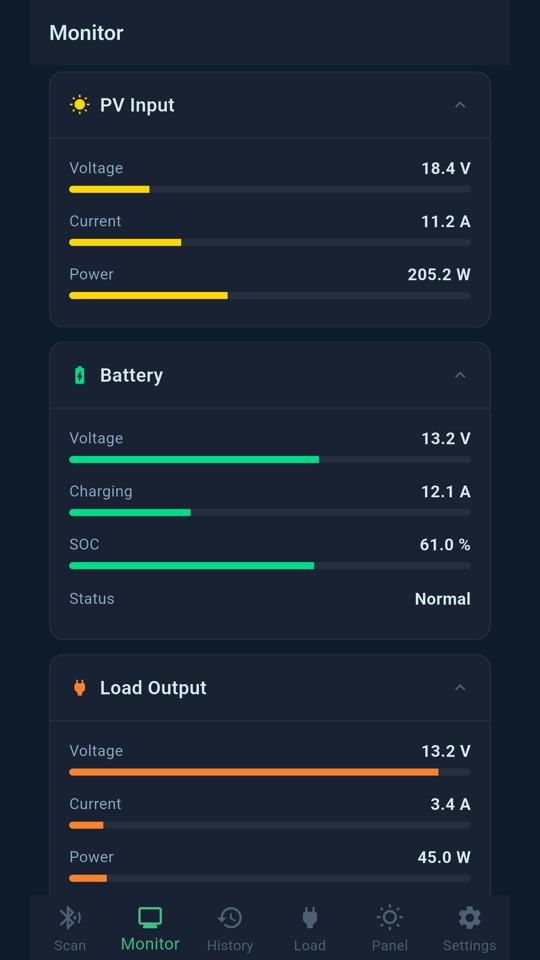
In Expert mode, cards below the diagram give every value with a bar against your equipment's limits:
- Solar input: panel voltage, current and power, compared with your controller's maximum.
- Battery: voltage, charging or discharging current, charge level and status.
- Load output: what the controller's load terminals deliver.
- Controller: its temperature, the battery temperature and the charging mode.
- Today: energy harvested and used since the morning.
The values refresh every few seconds while your phone is connected to the controller over Bluetooth.