 OmniViz
 Battery at a glance
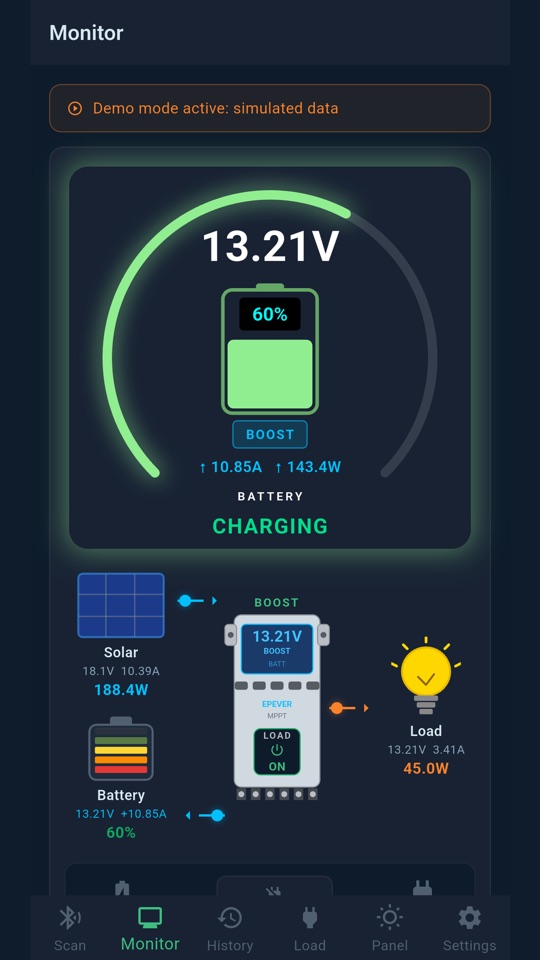
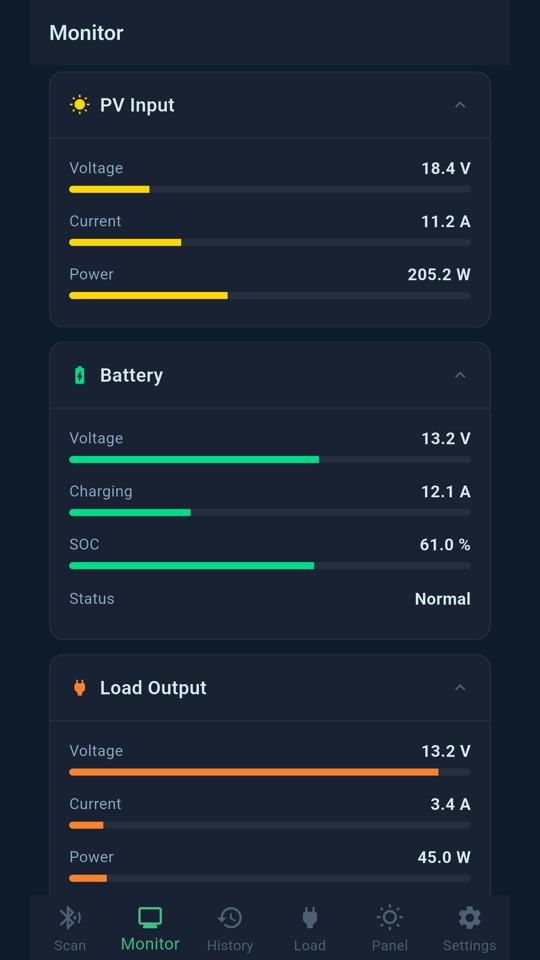
Charge level, voltage, current and the time left before your battery is empty, on one gauge.
One gauge tells you everything
The big gauge at the top of the Monitor screen shows your battery's charge level, from red when it is low to cyan when it is full. Inside it you read the battery voltage, the current and power going in or out, and the charging stage of the controller: BOOST, FLOAT, EQUALIZE or STANDBY. An arrow up means the battery is charging, an arrow down means it is discharging.
Real charging or discharging, not just the controller's side
A charge controller only reports what it pushes into the battery, never what leaves it. OmniViz Solar computes the net value: solar power minus what your loads draw. So when your loads use more than the sun gives, even during BOOST, the gauge honestly shows that the battery is discharging.
Time until empty
Under the gauge, the app shows how long your battery will last at the current consumption: green above 12 hours, orange between 4 and 12 hours, red below 4 hours. When the panels cover everything, it simply says CHARGING.
- It uses your battery's real capacity, from your battery profile.
- A ~ before the time means it is an estimate: the controller does not see loads wired straight to the battery, like an inverter. The OmniViz Inverter sensor measures them and makes the time exact.